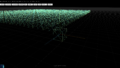
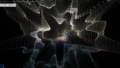
import { ParametricGeometry } from 'three/examples/jsm/geometries/ParametricGeometry.js';
// Plane関数
function Plane(u, v, target) {
    const width = 10;
    const height = 10;

    const x = u * width;
    const y = 0;
    const z = v * height;

    target.set( x, y, z );
}
new ParametricGeometry()のPlaneを変更して、さまざまな図形を作ってみましょう。
2.いろいろなオブジェクトを作る
2.1 Apple
// Apple
// 3.95. Apple II Surface
// http://www.3d-meier.de/tut3/Seite100.html
function Apple(u, v, target) {
  const R1 = 5;
  const R2 = 4.8;
  const phi = -Math.PI + u * Math.PI * 2;
  const theta = -Math.PI + v * Math.PI * 2;

  const x = Math.cos(phi)*( R1 + R2 * Math.cos(theta)) + ( theta / Math.PI)**20;
  const y = Math.sin(phi)*( R1 + R2 * Math.cos(theta)) + 0.25 * Math.cos( 5*phi );
  const z = -2.3 * Math.log(1 - theta*0.3157) + 6 * Math.sin(theta) + 2 *Math.cos(theta);

  target.set(x, y, z);
}
2.2 Star torus
// Startorus
// 3.166. Gewellter Torus II
// http://www.3d-meier.de/tut3/Seite173.html
function Startorus(u, v, target) {
  const R1 = 8;
  const R2 = 1.5;
  const r = 1.0;//筒の直径
  const n = 5;//角
  const phi = 0 + u * Math.PI * 2;
  const theta = 0 + v * Math.PI * 2;

  const x = (R1 + R2*Math.cos(n*phi) + r * Math.cos(theta))*Math.cos(phi);
  const y = r * Math.sin(theta);
  const z = (R1 + R2*Math.cos(n*phi) + r * Math.cos(theta))*Math.sin(phi);

  target.set(x, y, z);
}
2.3 Ring
// Ring
// 3.108. Pisot Triaxial
// http://www.3d-meier.de/tut3/Seite115.html
function Ring(u, v, target) {

  const phi = 0 + u * Math.PI * 2;
  const theta = 0 + v * Math.PI * 2;

  const x = 0.655866 * Math.cos(1.03002 + phi)*(2 + Math.cos(theta));
  const y = 0.74878 * Math.cos(1.40772 - phi)*(2 + 0.868837 * Math.cos(2.43773 + theta));
  const z = 0.868837 * Math.cos(2.43773 + phi)*(2 + 0.495098 * Math.cos(0.377696 - theta));

  target.set(x, y, z);
}
2.4 Snail
// 巻き貝
// 3.84. Schnecken und Muscheln
// http://www.3d-meier.de/tut3/Seite88.html
function torusFuncShell(u, v, target) {

  const a = 1.6;
  const b = 1.6;
  const c = 1.0;
  const h = 1.5;
  const k = -7.0;
  const w = 0.075;
  const R = 1;
  const phi = -50 + u*49;
  const theta = v * Math.PI * 2;

  const x = Math.exp(w*phi)*(h + a*Math.cos(theta))*Math.cos(c*phi);
  const y = R * Math.exp(w*phi)*(h + a*Math.cos(theta))*Math.sin(c*phi);
  const z = Math.exp(w*phi)*( k + b * Math.sin(theta));

  target.set(x, y, z);
}
2.5 Snail2
// 巻き貝2
// 3.89. Nautilus
// http://www.3d-meier.de/tut3/Seite93.html
function torusFuncShell2(u, v, target) {

  const a = 1.0;
  const b = 0.6;
  const c = 1.0;
  const h = 1.5;
  const k = 0.0;
  const w = 0.18;
  const R = 1;
  const phi = -20 + u*21;
  const theta = v * Math.PI * 2;

  const x = Math.exp(w*phi)*(h + a*Math.cos(theta))*Math.cos(c*phi);
  const y = R * Math.exp(w*phi)*(h + a*Math.cos(theta))*Math.sin(c*phi);
  const z = Math.exp(w*phi)*( k + b * Math.sin(theta));

  target.set(x, y, z);
}
2.6 こま
// こま
// 3.143. Kreisel
// http://www.3d-meier.de/tut3/Seite150.html
function koma(u, v, target) {

  const phi = -1 + u * 2;
  const theta = 0 + v * Math.PI * 2;

  const x = (Math.abs(phi) - 1)**2 * Math.cos(theta);
  const y = phi;
  const z = (Math.abs(phi) - 1)**2 * Math.sin(theta);

  target.set(x, y, z);
}
2.7 幾何学図形
// 幾何学図形
// 3.169. Breather Surface
// http://www.3d-meier.de/tut3/Seite176.html
function torusFun(u, v, target) {

  const a = 0.4;

  const phi = -13.2 + u * 26.4;
  const theta = -37.4 + v * 37.4 * 2;

  const r = 1 - a*a;
  const w = Math.sqrt(r);
  const d = a*((w*Math.cosh(a*phi)))**2 + (a*Math.sin(w*theta)**2);
  const x = -phi + ( 2*r*Math.cosh(a*phi) * Math.sinh(a*u)/d);
  const y = 2*w*Math.cosh(a*phi) * (-(w*Math.cos(theta)*Math.cos(w*theta))-(Math.sin(theta)*Math.sin(w*theta)))/d;
  const z = 2*w*Math.cosh(a*phi) * (-(w*Math.sin(theta)*Math.cos(w*theta))+(Math.cos(theta)*Math.sin(w*theta)))/d;

  target.set(x, y, z);
}
2.8 幾何学図形
// 幾何学図形
// 3.108. Pisot Triaxial
// http://www.3d-meier.de/tut3/Seite115.html
function torusFunc1(u, v, target) {

  const phi = 0 + u * Math.PI * 2;
  const theta = 0 + v * Math.PI * 2;

  const x = Math.sin(phi) / (Math.sqrt(2)+Math.cos(theta));
  const y = Math.sin(phi + 2*Math.PI/3) / (Math.sqrt(2)+Math.cos(theta + 2 * Math.PI /3));
  const z = Math.cos(phi - 2*Math.PI/3) / (Math.sqrt(2)+Math.cos(theta - 2 * Math.PI /3));

  target.set(x, y, z);
}
2.9 幾何学図形
// 幾何学図形
// 3.104. Klein Cycloid
// http://www.3d-meier.de/tut3/Seite111.html
function torusFunc2(u, v, target) {

  const a = 10;
  const b = 5;
  const c = 2;
  const phi = u * Math.PI * 16;
  const theta = v * Math.PI * 32;

  const x = Math.cos(phi/c)*Math.cos(phi/b) * ( a + Math.cos(theta) ) + Math.sin(phi/b)*Math.sin(theta)*Math.cos(theta);
  const y = Math.sin(phi/c)*Math.cos(phi/b) * ( a + Math.cos(theta) ) + Math.sin(phi/b)*Math.sin(theta)*Math.sin(theta);
  const z = -Math.sin(phi/c) * ( a + Math.cos(theta) ) + Math.cos(phi/b)*Math.sin(theta)*Math.cos(theta);

  target.set(x, y, z);
}
2.10 Moon
//Moon
// 3.55. Antisymmetrischer Torus
// http://www.3d-meier.de/tut3/Seite59.html
function moon(u, v, target) {

  const R = 3;
  const r = 0.8;
  const a = 1;

  const phi = 0 + u * Math.PI * 2;
  const theta = 0 + v * Math.PI * 2;

  const x = ( R + r * Math.cos(theta)*( a + Math.sin(phi)) ) * Math.cos(phi);
  const y = ( R + r * Math.cos(theta)*( a + Math.sin(phi)) ) * Math.sin(phi);
  const z = r * Math.sin(theta) * ( a + Math.sin(phi));

  target.set(x, y, z);
}